 |
|
||||||
 |
|
|||||




 |
 |
 |
 |
 |
 |
 |
 |
|
|
||||||
|
|
|||||
|
|
|
|
|
|
|
|
|
|
|
#1
 12-15-2011, 11:13 PM
|
||||
|
||||
 OK... my first scans
Got the Canon 9000F out of the box today and scanned a few card... As promised, here are some of the first ones to be scanned. Any advice on how to make them better is appreciated.
Thanks.
__________________
Al Jurgela Looking for: 1910 Punch (Plank) 50 Hage's Dairy (Minoso) All Oscar Charleston Cards Rare Soccer cards Rare Boxing cards 
|
|
#2
12-15-2011, 11:29 PM
|
||||
|
||||
|
All of your scans look great by the way. But I have a question that goes along with the original question. I understand that the CCD technology is the way to go. But what I wanted to find was an all-in-one wireless printer that has CCD. I didn't want to get just a scanner, but something that can do it all. I can't tell by looking at the printers on Amazon which ones have CCD. Can someone give a few recommendations of a great all-in-one with CCD. I'm assuming most higher end Canons, and probably Epsons, but anyone have some recommendations?

|
|
#3
12-15-2011, 11:46 PM
|
||||
|
||||
|
Hey Al, - I like to leave the lid up when scanning. I think it gives better contrast (you can also adjust this after the fact). It also doesn't leave those white corners where you see the gasket edges in your scans.
If you're using the supplied software, click "Scanner Driver" then Preview to scan the whole glass, then select the area you want to scan and press scan. You can also adjust the dpi that it scans. If you want more detail, go with a higher number but also know that it will be a larger file size. I do bulk scanning at 300 dpi but if I want clarity in faces of a postcard or something to zoom in on, I go 800 dpi. Feel free to pm me if you have more specific questions or want more tips. 
Last edited by Jaybird; 12-15-2011 at 11:50 PM.
|
|
#4
12-15-2011, 11:49 PM
|
|||
|
|||
|
ive had my canoscan 4400F since 2007. it replaced my canoscan 4200F when i switched to a Mac and the 4200F was not compatible.
Here is a scan from 2007: 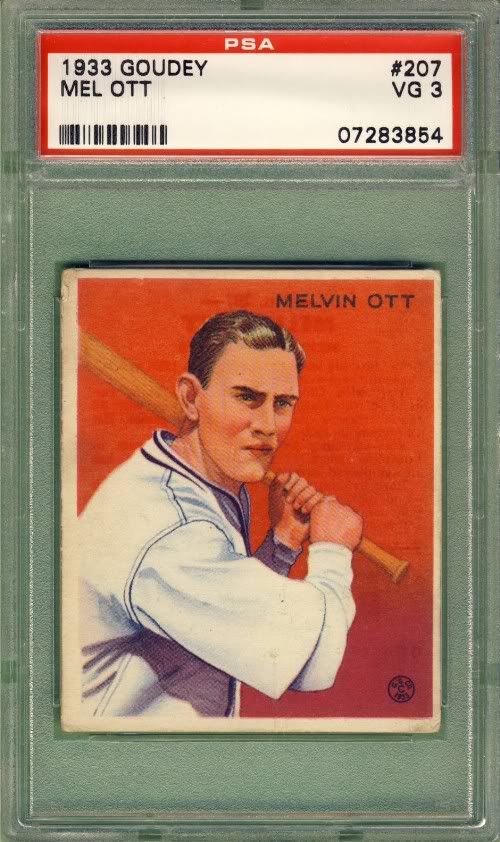 Here is a scan from last week: 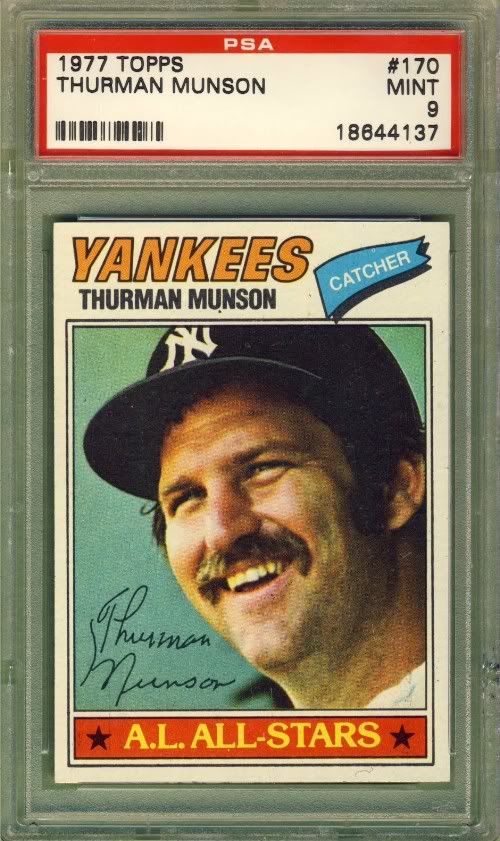 i cannot recommend Canon scanners enough, and have been doing so since 2005
__________________
Currently Working On: PSA Graded Post-War HOF Rookie Card Collection - 100%!
|
|
#5
12-15-2011, 11:52 PM
|
|||
|
|||
|
man, looking at my scans now, it sure is time for me to get some fresh green construction paper! (i scan lid up, green construction paper as my background) lol
__________________
Currently Working On: PSA Graded Post-War HOF Rookie Card Collection - 100%!
|
|
#6
12-16-2011, 12:02 AM
|
||||
|
||||
|
Thanks Jason for the tips! I will try that tomorrow. Sure is fun to have a new toy! Do you put the card in the middle of the tray? Is there a good way to prevent scratching the glass with all of the holders? Is it best to do one card at a time or multiples and then crop?
Thanks guys.
__________________
Al Jurgela Looking for: 1910 Punch (Plank) 50 Hage's Dairy (Minoso) All Oscar Charleston Cards Rare Soccer cards Rare Boxing cards
|
|
#7
12-16-2011, 12:21 AM
|
||||
|
||||
|
I do one at a time but that's only because I find it easier to take a few extra seconds to do that than the extra seconds to crop. I think it would work fine either way and have done it both ways. I like the fact that when you scan individually, they are already separate files that you can do what you want with.
I've had no problem with glass scratching with the holders, etc. I think it's pretty durable stuff and not prone to scratching but I've only had mine for a year or so maybe others who have had theirs longer can comment on the scratching. I put mine towards the bottom of the tray so that I can judge if it is vertical and not askew. If it's in the middle, kind of hard to tell quickly if you're at a canted angle. There is about 1/4 inch on the bottom of the glass that doesn't scan, so I just move it about 1/2 inch up from the bottom and go from there. Another trick I've used if I'm doing many of the same size or holder is to put a wax pencil mark on the glass outside of the corners of the graded card. Then I can easily swap each new card in and just place it inside of those wax corner marks. Then when done, just take a tissue and wipe off the glass and you're done. This avoids having to "Preview" the entire glass with each new card. You can just press Scan and Scan and Scan and it'll keep dropping files. Last edited by Jaybird; 12-16-2011 at 12:23 AM.
|
|
#8
06-09-2012, 08:13 AM
|
||||
|
||||
|
I just jumped on the Canon 5600F bandwagon after reading this thread.
$89 from B & H Photo. Bought a new desktop and my old (12 years) scanner wasn't compatible. 5600F owners: Any special settings you use for raw or graded cards? I scanned a couple and the colors appear a touch lighter or faded. How about editing software? Do you use the provided software or something else. My old software didn't load too well on the new desktop either. Thanks in advance.
|
 |
|
|
 Similar Threads
|
||||
| Thread | Thread Starter | Forum | Replies | Last Post |
| PSA counterfeit cards!!! Beware | Archive | Net54baseball Vintage (WWII & Older) Baseball Cards & New Member Introductions | 121 | 06-24-2012 02:40 PM |
| FS: 1972 Topps (204) Different Cards NM+ **SOLD** | Bunker | 1950 to 1959 Baseball cards- B/S/T | 3 | 04-26-2011 11:03 PM |
| Looking for people to write articles about certain cards. | mmync | Net54baseball Vintage (WWII & Older) Baseball Cards & New Member Introductions | 0 | 09-27-2010 06:55 PM |
| Stolen Cards Returned - More Detailed Info | Archive | Net54baseball Vintage (WWII & Older) Baseball Cards & New Member Introductions | 17 | 12-14-2006 06:11 PM |
| F/S Misc graded and raw cards ('33 Goudey, '41 Play Ball, 50's Topps and Bowman, etc. | Archive | 1920 to 1949 Baseball cards- B/S/T | 8 | 06-29-2006 08:07 AM |


 Hybrid Mode
